
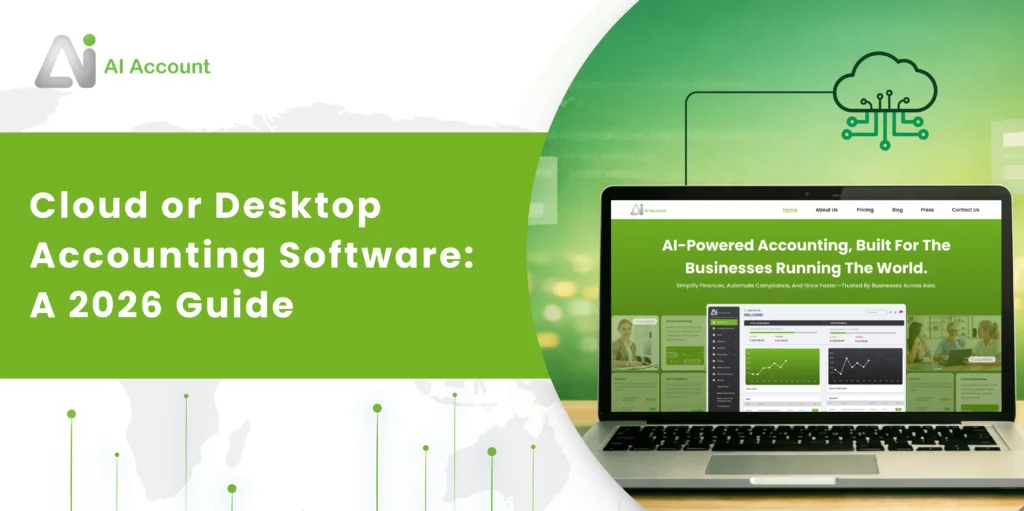

Reports & Statements
Generate Accurate Financial Reports Without Closing Complexity
The software provides structured financial reports, detailed general ledgers, tax reports, and Excel-ready exports while preserving full historical traceability.
What Reports & Statements Covers
Reports & Statements in the AI Account allow you to:
- Generate detailed General Ledger reports
- View Profit & Loss by function or by nature
- Review financial performance summaries and ratios
- Generate tax reports, including cash basis GST
- Export reports to Excel for financial statement preparation
This module is designed to provide transparency, traceability, and flexibility across multiple reporting periods.
General Ledger
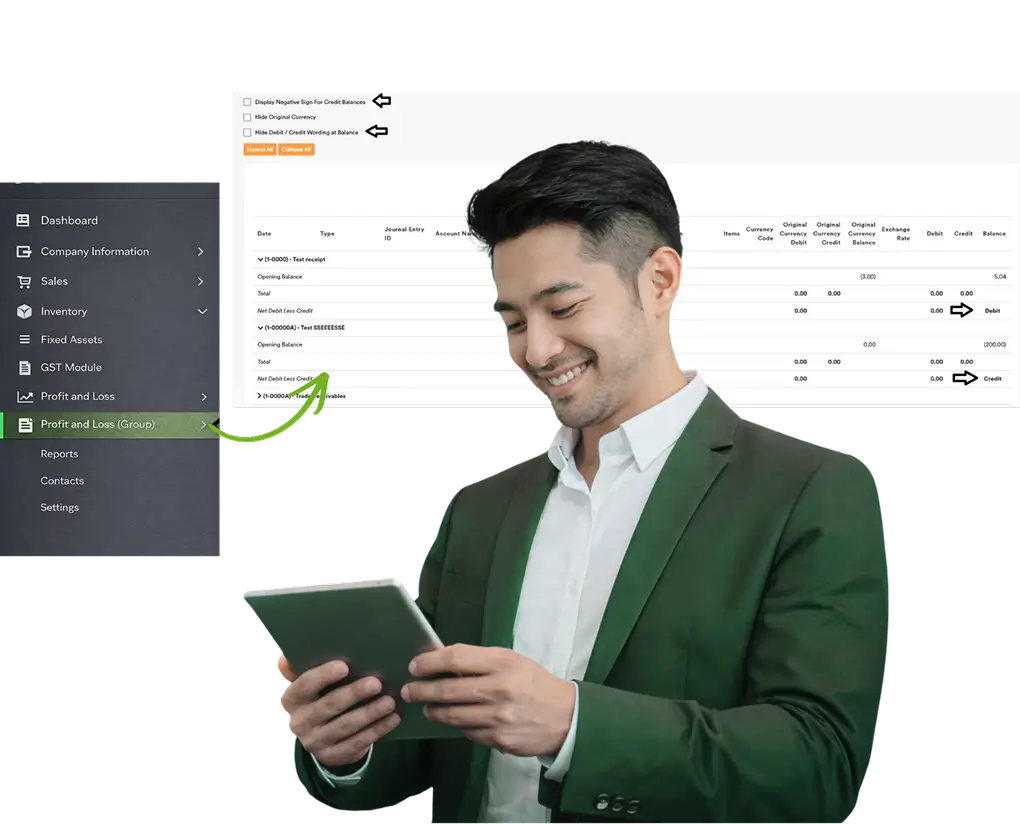
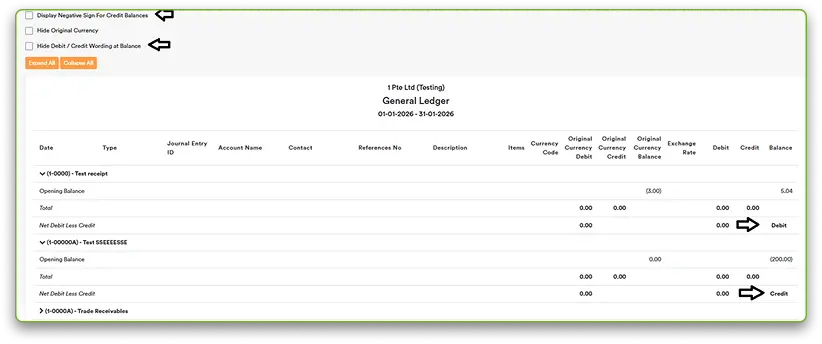
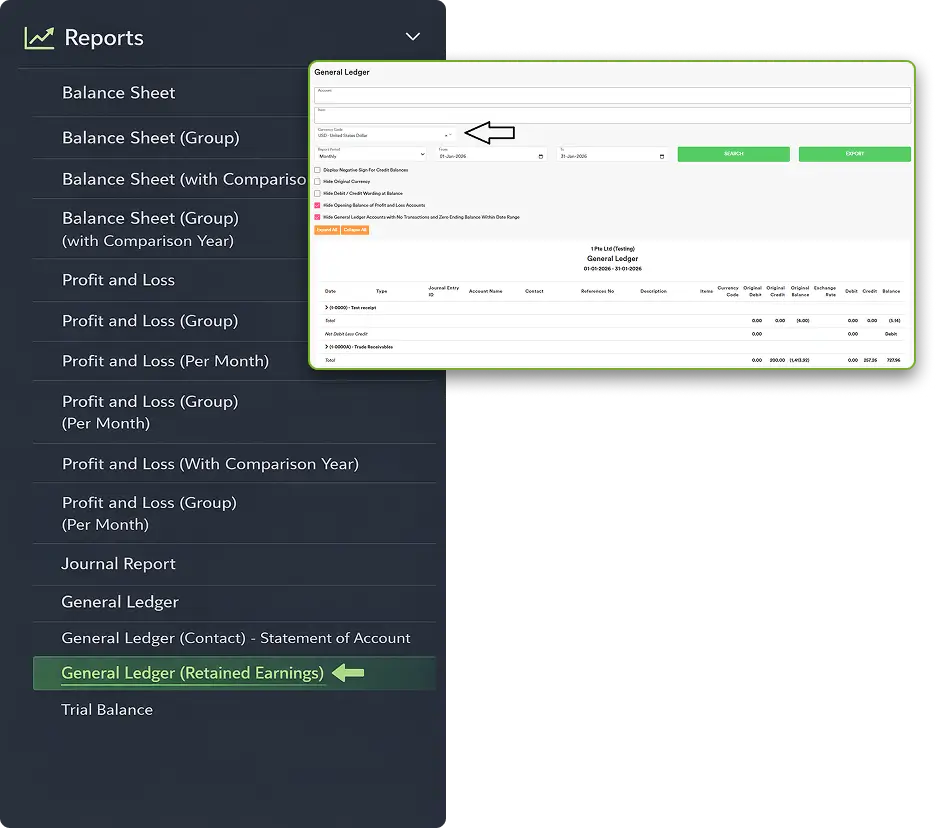
The General Ledger provides detailed account-level reporting with flexible display and filtering options.
- View ending balances clearly
- Adjust how balances are displayed
- Add country- or city-specific tax codes if not available by default
- Show or hide negative values
- Remove Debit/Credit labels if preferred
- Hide original currency before PDF export
- Export full currency details to Excel
Profit & Loss Accounts in the General Ledger
- P&L accounts are not closed at year-end
- No automatic transfer to Retained Earnings
- Balances carry forward to the next year
Retained Earnings Visibility
- View opening balances before the selected period
- See transactions within any chosen date range
- Check net movement for the period
- Review accumulated retained earnings
- Run detailed ledger reports when needed
Currency Filtering
- Filter by specific currency (e.g. USD) View balances by currency Review multi-currency accounts
Profit & Loss Report
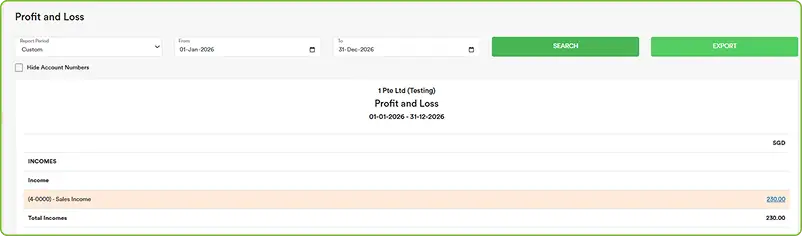
AI Account supports a flexible Profit & Loss presentation using Account Grouping.
By Function
- Shows costs by operational purpose, such as:
- Expenses
- Selling & Marketing
- General & Administrative
- Equity
- Research & Development
GST Payables Account
- Go to Settings → Tax Codes to:
- Salaries
- Rent
- Utilitie
- Depreciation
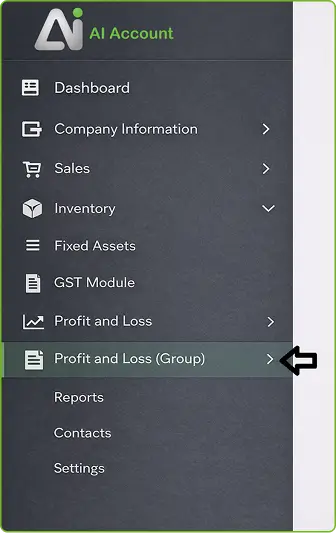
- Once groupings are saved:
- Run Profit and Loss (Group)
- The selected structure is reflected in the report
Tax Reports
GST rounding differences can be recorded directly.
GST Report (Cash Basis)
- For jurisdictions such as Malaysia, Services Tax:
- Services tax must be reported on a payment basis
- Use the GST Report (Cash Basis) to generate tax amounts based on invoices that have been paid

This ensures compliance with payment-based tax reporting requirements.
Financial Performance Summary
AI Account can automatically generate a Financial Performance Summary report.
This report consolidates:
- Income
- Expenses
- Assets
- Liabilities
- Equity
It also includes key financial ratios such as:
- Gross profit margin
- Net profit margin
- Liquidity ratios
- Debt-to-equity
- Return on Assets (ROA)
- Return on Equity (ROE)
- Turnover ratios
The summary provides a clear snapshot of:
- Profitability
- Cash position
- Leverage
- Operational efficiency
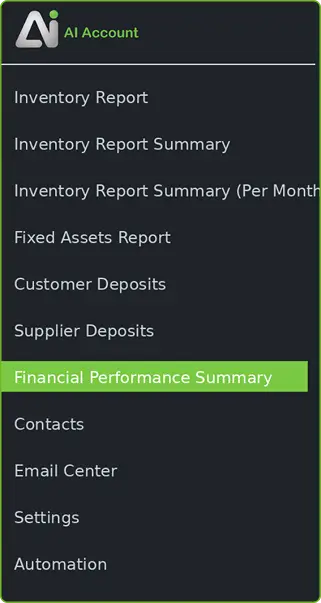
No advanced accounting or Excel skills are required to interpret the report.
Export to Excel (For FS)
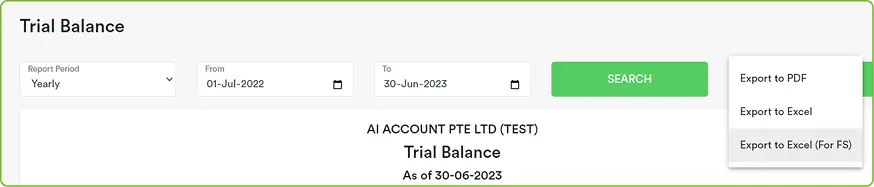
You can export reports using Export to Excel (For FS) for financial statement preparation.
- Generate reports by financial year
- Download reports instantly
- Seamless export to FS software
- Flexible formatting before import
Support is available if you need assistance with financial statement preparation.

Understand How Transactions Flow Through the System
Reports & Statements in AI Account are generated directly from transaction-level data and period-based balances.

Financial Clarity. No Excel Required.
Access real-time reports and statements without manual exports or rework.
Frequently Asked Questions
How are debit and credit balances displayed in the General Ledger?
By default, both debit and credit balances are shown as positive amounts, with the nature indicated as Debit or Credit.
Can credit balances be shown as negative values?
Yes. You can enable “Display Negative Sign For Credit Balances.”
Are Profit & Loss accounts closed at year-end?
No. P&L accounts carry forward continuously. Retained Earnings is calculated as a balancing figure.
How do I see the current year P&L amount in the General Ledger?
Refer to the Net Debit Less Credit line for the selected period.
Can I generate multi-year reports?
Yes. Since P&L balances are not reset, you can generate prior-year or multi-year reports without limitation.
How do I see what makes up Retained Earnings?
Run the General Ledger (Retained Earnings) report.
Can I filter reports by currency?
Yes. You can filter the General Ledger by Currency Code to view balances in a specific currency.
What Profit & Loss formats are supported?
Profit & Loss can be generated by function or by nature using account groupings.
Can I export reports for financial statement preparation?
Yes. Reports can be exported using Export to Excel (For FS).
Does AI Account provide financial ratios?
Yes. The Financial Performance Summary includes key profitability, liquidity, leverage, and efficiency ratios.