
Fixed Assets & Projects
Record, Depreciate, and Track Assets and Projects with Accounting Accuracy
The Fixed Assets & Projects modules in AI Account support asset recording, depreciation, project tracking, and related-party expense handling with system-generated accounting entries.
What Fixed Assets & Projects Covers
AI Account allows you to:
- Record and dispose of fixed assets
- Run depreciation automatically or manually
- Track projects and calculate project profit
- Record related-party balances and expenses paid on behalf
All entries follow defined accounting logic and generate the required double entries automatically where applicable.
Fixed Assets Recording
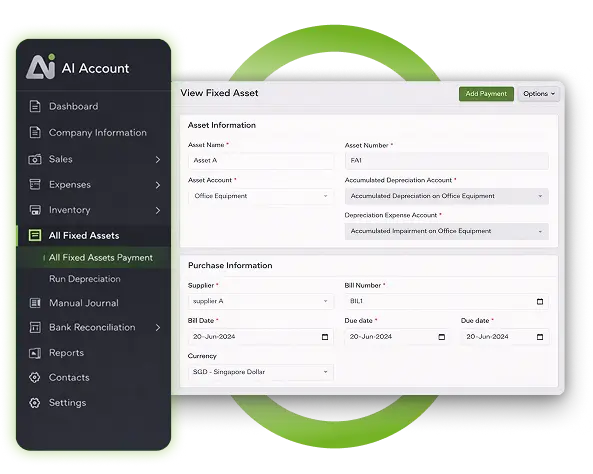
Recording Fixed Assets Using the Fixed Assets Module
You can record fixed assets directly in the Fixed Assets module.
- All double entries are generated automatically when details are entered and submitted
- Fixed assets recorded here should not be duplicated in the Expenses module
For asset disposal:
- Click Options → Dispose
- The system automatically generates entries for disposal, including any gain or loss based on the sales proceeds entered
Recording Fixed Assets via Expenses
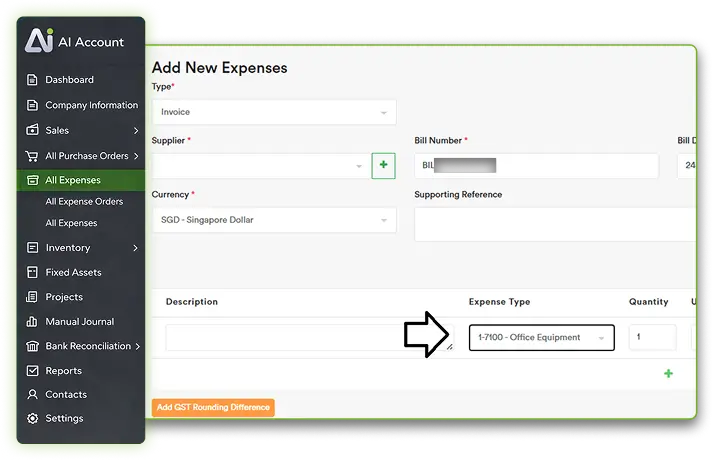
Fixed assets can also be recorded in the All Expenses section.
- Automatic depreciation cannot be run for assets recorded this way
- Depreciation must be posted manually using journal entries
This method should be used only when automatic depreciation is not required.
Fixed Assets Accounts Setup
Chart of Accounts Structure
Before using the Fixed Assets module, you must create:
- One main fixed asset account
- Two accumulated accounts
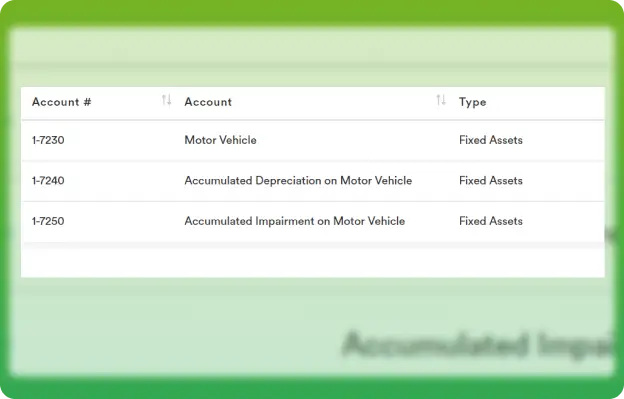
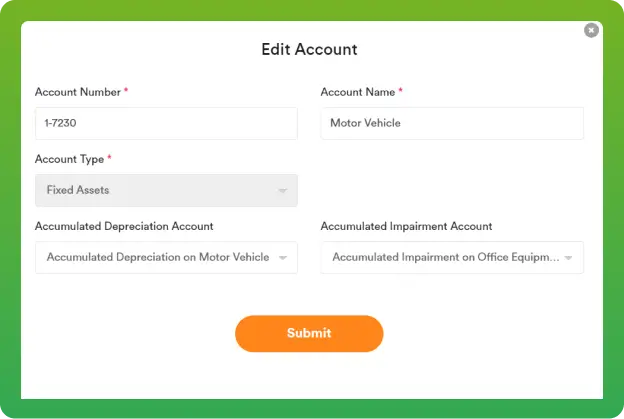
After creating these accounts:
- Select the main asset account (for example, Motor Vehicle)
- Connect the two accumulated accounts
- Submit to make the asset available in the Fixed Assets module
The asset will then appear in the Fixed Assets module for recording and depreciation.
Depreciation
Running Depreciation
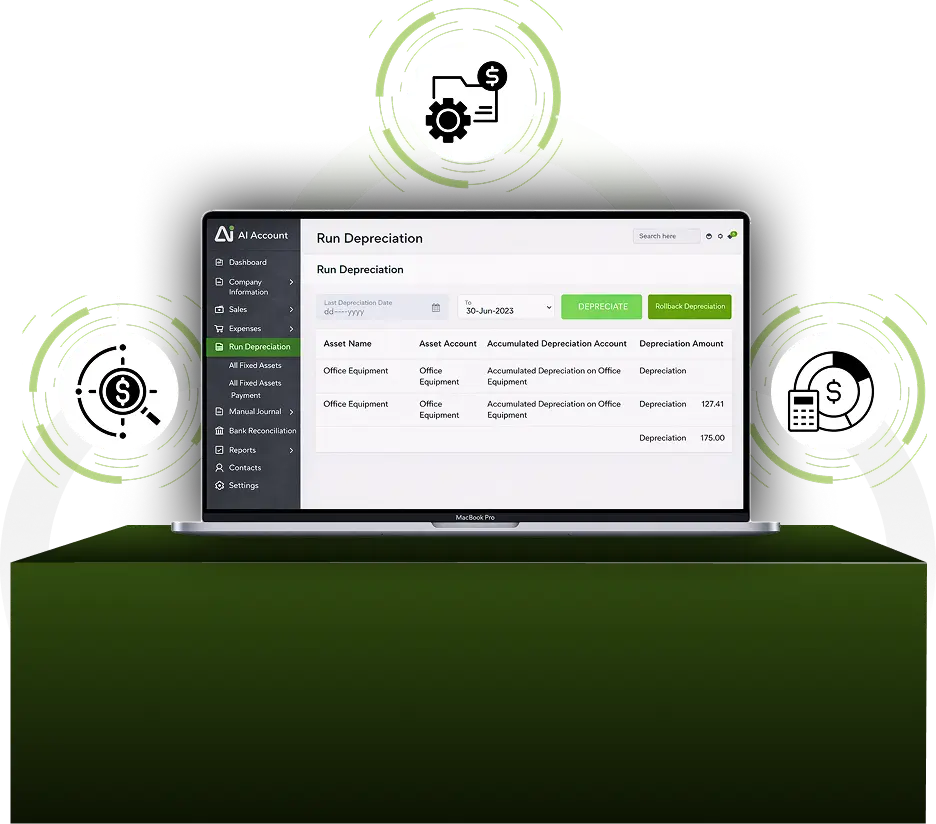
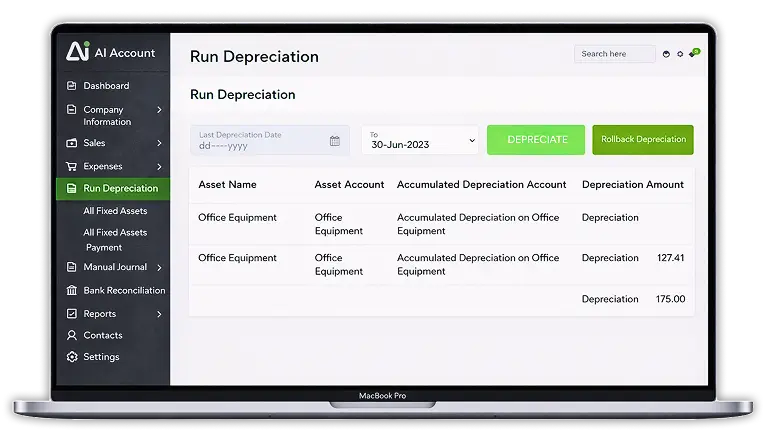
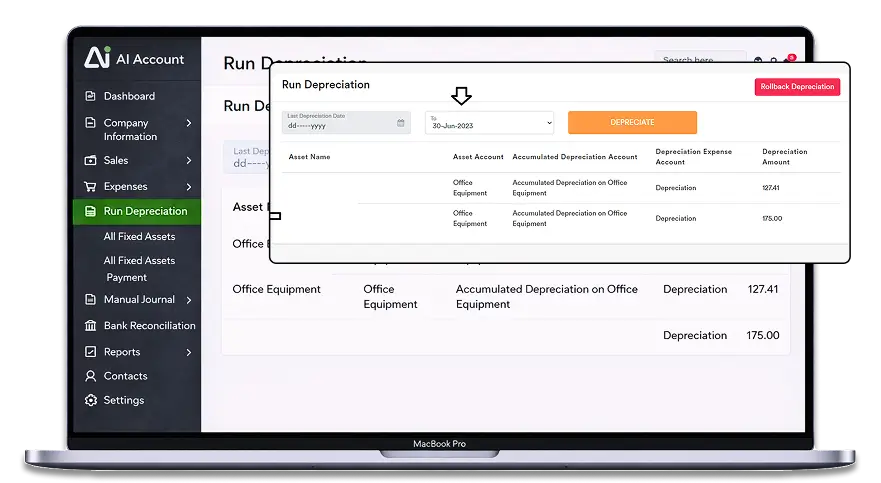
AI Account allows you to run depreciation automatically for assets recorded in the Fixed Assets module.
- Enter the depreciation period To date
- Click Depreciate
- The system generates the depreciation journal entries automatically
Rollback Depreciation
If depreciation is run incorrectly:
- Click Rollback Depreciation
- The system will reverse the depreciation entries
Related Parties
Related Party Accounts
AI Account provides dedicated accounts to record related-party balances:
- 1-5100 Supplier Related Parties
- 2-3100 Customer Related Parties
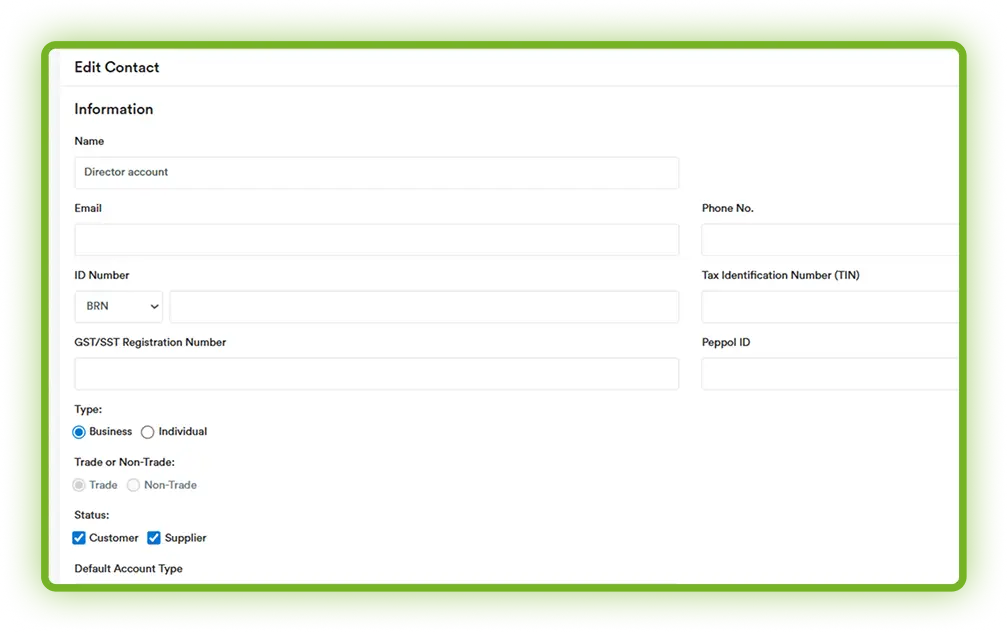
These accounts can be used for directors, subsidiaries, or related companies.
Expenses Paid on Behalf by Director
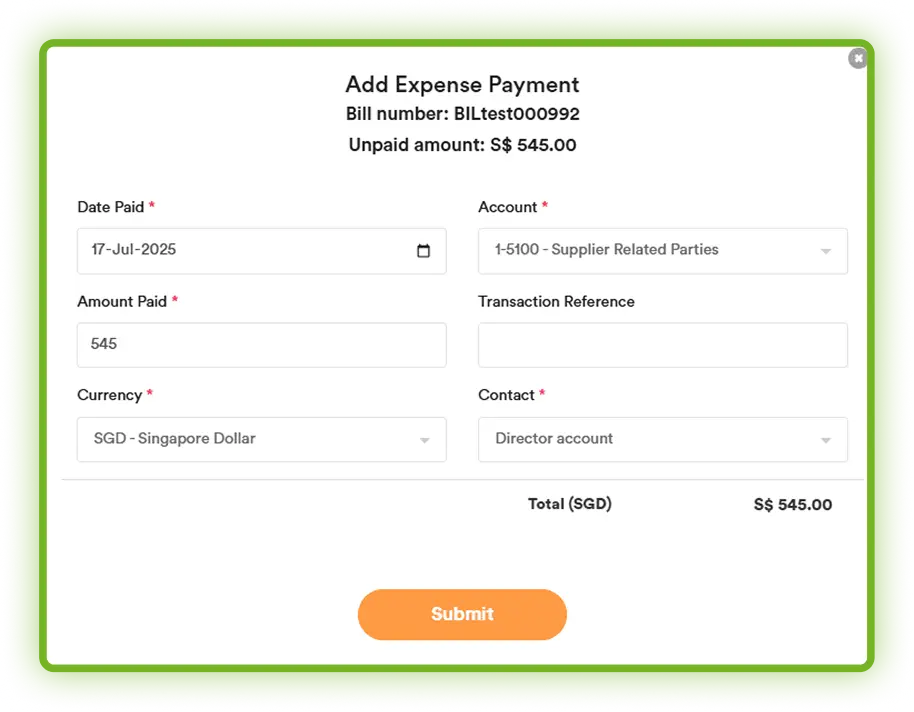
When a director pays an expense on behalf of the company:
- 1. Create a contact named “Director Account”
- 2. When recording the expense payment:
- Select account 1-5100 Supplier Related Parties
- Choose the contact “Director Account”
- This records the expense as paid on the company's behalf by the director.
Project Accounting
Projects Recording
The Projects module is used to:
- Track projects
- Calculate each project’s profit
Completion Percentage Calculation
- Project completion percentage is calculated as:
- Expense Total Amount / Budgeted Cost
Tagging Sales and Expenses
- Sales invoices and expense invoices can be tagged to a project
- Each sale or expense can be tagged to only one project
This allows accurate tracking of project costs and profitability.
Understand How Transactions Flow Through the System
Fixed Assets and Projects follow defined accounting logic for posting, depreciation, and reporting.

Bring Clarity to Fixed Assets and Project Accounting
Record assets, run depreciation, track project performance, and handle related-party expenses accurately as your business grows.
Frequently Asked Questions
How are fixed assets recorded in the AI Account?
Fixed assets can be recorded using the Fixed Assets module, where all double entries are generated automatically. Fixed assets should not be duplicated in the Expenses module.
Can fixed assets be recorded through the Expenses module?
Yes. Fixed assets can be recorded in the All Expenses section. However, assets recorded this way cannot be depreciated automatically; they must be depreciated manually through journal entries.
How is depreciation run for fixed assets?
Depreciation is run automatically from the Fixed Assets module by entering the depreciation period end date and clicking “Depreciate”. The system automatically generates depreciation entries.
Can depreciation entries be reversed?
Yes. If depreciation is run incorrectly, you can use the “Rollback Depreciation” option to reverse the depreciation entries.
What is residual value and how does it affect depreciation?
Residual value is the estimated value of an asset at the end of its useful life. If the residual value is equal to the asset’s cost or net book value, depreciation will not run. Residual value is usually set to zero.
How are fixed assets disposed of?
Fixed assets can be disposed of by selecting Options → Dispose in the Fixed Assets module. The system automatically generates the required accounting entries, including any gain or loss on disposal, based on the sales proceeds entered.
How are related-party balances recorded?
Related-party balances can be recorded using dedicated accounts such as “Supplier Related Parties” and “Customer Related Parties”, which can be used for directors, subsidiaries, or related companies.
How do I record expenses paid on behalf by a director?
Create a contact for the director and record the expense payment using the “Supplier Related Parties” account. This records the expense as paid on the company’s behalf by the director.
How does project accounting work in AI Account?
Projects can be tracked using the Projects module. Sales invoices and expense invoices can be tagged to a project, and each transaction can be linked to only one project.
How is project completion percentage calculated?
Project completion percentage is calculated using the formula:
Expense Total Amount ÷ Budgeted Cost.