
E-Invoicing
Generate, Send, Receive, and Track E-Invoices from One System
The E-Invoicing module allows businesses with country-specific requirements including Malaysia MyInvois and Peppol network integration.
What E-Invoicing Covers
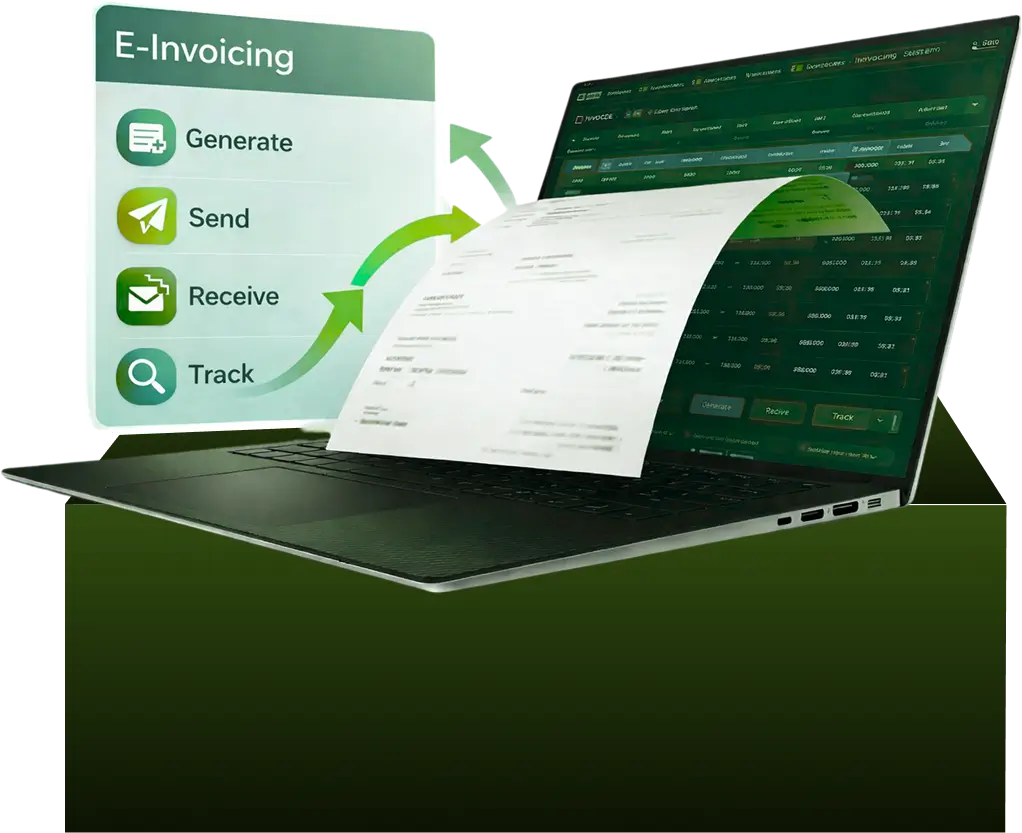
E-Invoicing in AI Account allows you to:
- Generate and submit compliant e-invoices
- Send and receive e-invoices through Malaysia MyInvois
- Exchange e-invoices via the Peppol network
- Track e-invoice status to prevent duplicates or omissions
- Issue self-billed and manual e-invoices when required
- Follow country-specific e-invoice rules within one system
All e-invoices sent or received through MyInvois or Peppol are automatically tracked to ensure completeness and audit readiness.
E-Invoice Generation and Submission
Sales E-Invoices
- Create sales invoices in the All Sales module
- Sales invoices automatically appear in the Submitted tab
- E-invoices can be sent individually or in bulk
- For sales not sent individually, consolidated e-invoices can be submitted with one click
Sending & Receiving E-Invoices
Sending E-Invoices
- Select invoices with Pending status
- Resolve any validation warnings
- Click Send E-Invoice to submit
- Alternatively, use Send E-Invoice for All Pending Sales
- Customers receive the e-invoice in their MyInvois portal
Receiving Supplier E-Invoices
- Under the Received tab:
- Review incoming e-invoices
- Link them to existing expenses
- Create new expense entries if required
E-Invoice Status Tracking and Controls
AI Account tracks every e-invoice sent and received.
- No duplicate e-invoices are allowed
- Each e-invoice has a visible status
- Pending, submitted, rejected, cancelled, and completed states are clearly shown
Rejecting Received E-Invoices
- Received e-invoices initially show Pending status
- If incorrect, you can reject them with a message to the supplier
- E-invoices cannot be cancelled after 72 hours
If rejected after 72 hours, the rejection is still recorded, but the supplier must be contacted separately to cancel the invoice.
MyInvois Portal Integration (Malaysia)
AI Account connects directly to the MyInvois Portal as an intermediary.
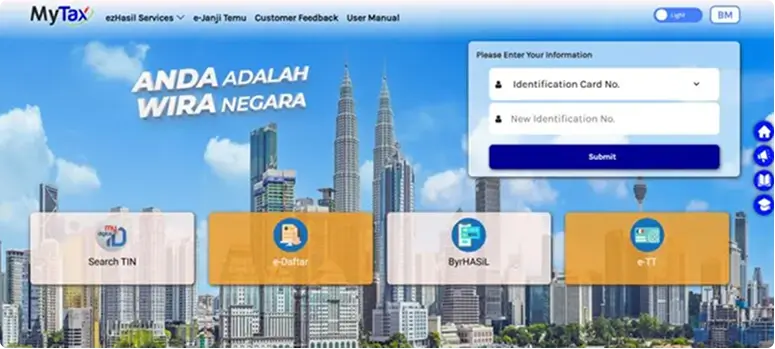
Connector Setup
- To enable e-invoicing:
- Add AI Account as an intermediary in MyInvois
- Fill in company BRN, TIN, contact number, email, and address
- AI Account can submit and manage e-invoices on your behalf
Change of Intermediary
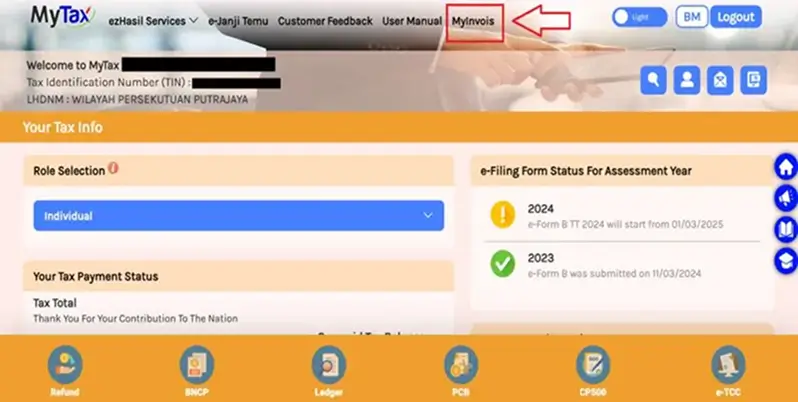
- If an existing intermediary is active:
- Edit the current intermediary
- Set the expiry date to yesterday
- Add AI Account as the new intermediary
Receiving E-Invoices into Accounting Entries
Received e-invoices can be converted into accounting records.
- Open the received e-invoice
- Link it to an existing entry or create a new one
- Link it to an existing entry or create a new one
- Once processed, the e-invoice is automatically linked
This ensures received invoices are fully accounted for without duplication.
Contact Data and TIN Automation
Software helps complete missing customer data required for e-invoicing.
- Export contacts with missing BRN, SST, address, or phone details
- Update details in Excel and re-import
- Use Auto-fill TIN based on BRN to populate TIN automatically
This removes the need to manually request TIN details from customers.
Self-Billed & Consolidated E-Invoices
AI Account supports a flexible Profit & Loss presentation using Account Grouping.
Self-Billed E-Invoices
- Issue self-billed e-invoices for eligible expenses
- Mark expenses as Not Applicable where self-billing is not required
Consolidated E-Invoices
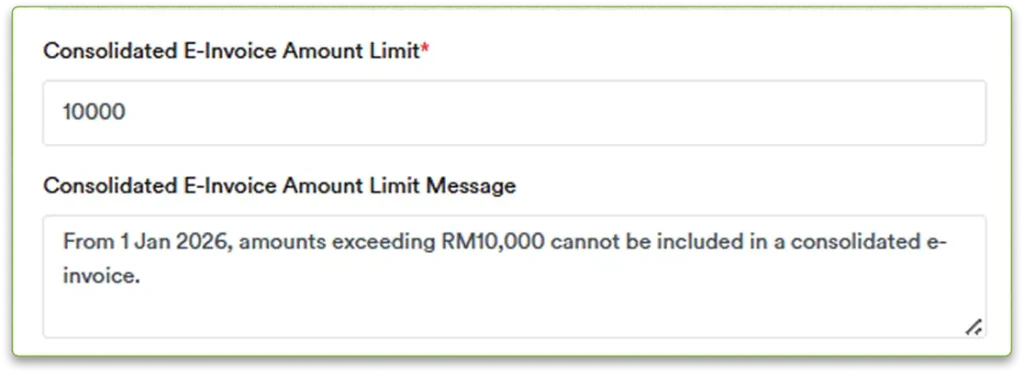
- Consolidate multiple transactions into one e-invoice
- Not allowed if total exceeds RM10,000
- Above RM10,000, issue manual e-invoice
- Select unsubmitted eligible expenses
- Submit as one self-billed consolidated e-invoice
Reversing Consolidated E-Invoices
- Reverse the required portion using Manual E-Invoice
- Enter the amount as a negative value
- Re-issue the individual e-invoice separately
- This avoids duplicate submission to LHDN.
Peppol Network Integration
An AI Account includes e-invoicing via the Peppol network.
- AI Account is an OpenPeppol member (effective May 2024)
- Supports standardised e-invoice exchange
- Designed for SMEs in Singapore and Malaysia
Peppol integration allows:
- Standardised cross-border e-invoice exchange
- Reduced manual processing
- Improved accuracy and transparency
- Faster payment cycles
Understand How Transactions Flow Through the System
E-Invoicing in AI Account is managed directly within the system, covering submission, receipt, validation, and tracking.
E-Invoices Done Right, Every Time
Track MyInvois and Peppol e-invoices end-to-end without chasing portals, suppliers, or errors.
Frequently Asked Questions
Can I send multiple e-invoices at once?
Yes. You can send multiple e-invoices in bulk or submit consolidated e-invoices.
Does AI Account exclude non-applicable items automatically?
Yes. Items not applicable for e-invoicing are automatically excluded.
Can I receive supplier e-invoices in AI Account?
Yes. Supplier e-invoices appear directly in the Received tab.
Are duplicate e-invoices possible?
No. The system prevents duplicate e-invoice submissions.
Can I issue self-billed e-invoices?
Yes. Self-billed and consolidated self-billed e-invoices are supported.
Can I reject incorrect e-invoices?
Yes, within 72 hours of issuance.
Does AI Account support MyInvois integration?
Yes. AI Account connects as an intermediary.
Is Peppol e-invoicing supported?
Yes. AI Account includes Peppol network integration.
Can consolidated e-invoices be reversed?
Yes. Portions can be reversed and re-issued individually.
Are e-invoice statuses tracked automatically?
Yes. Every sent and received e-invoice is tracked in the system.