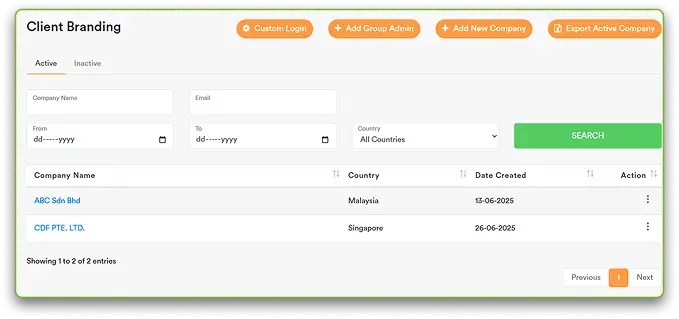
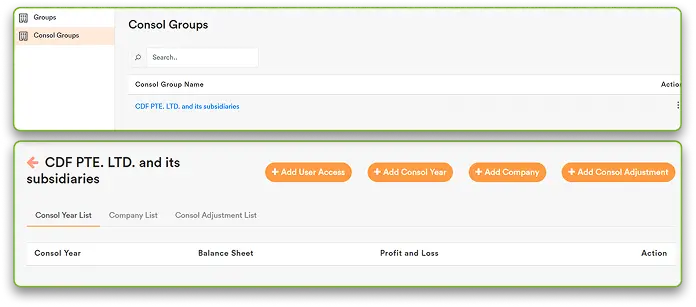
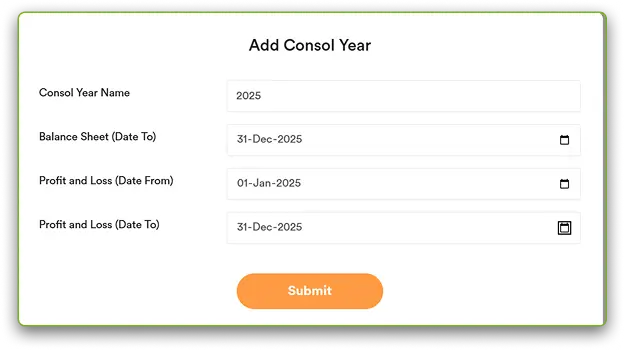
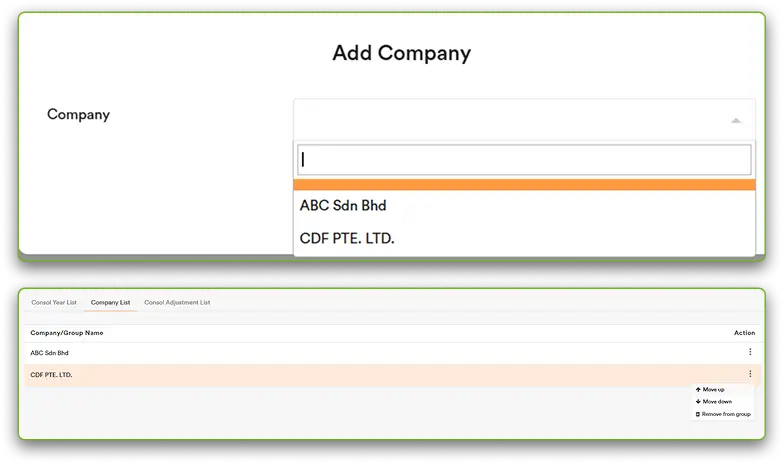
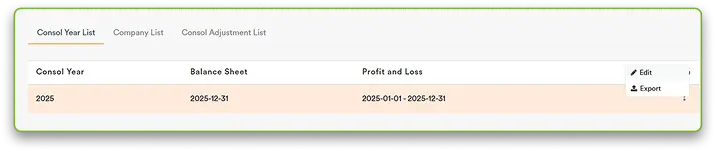
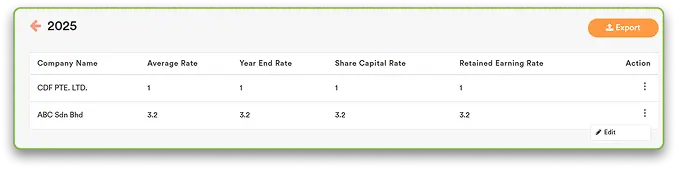
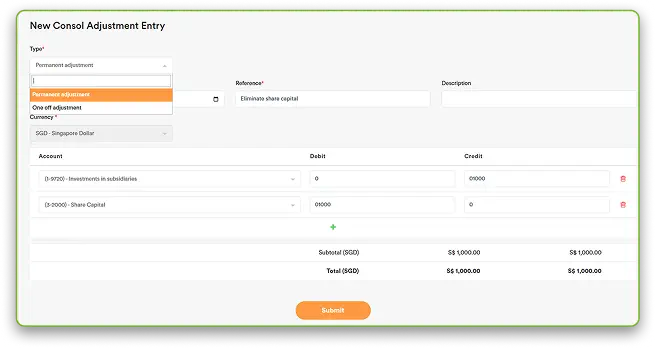
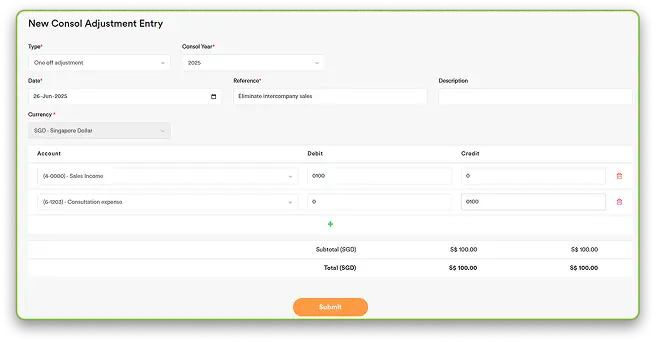
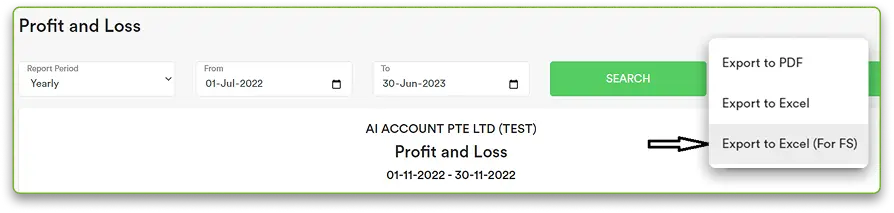
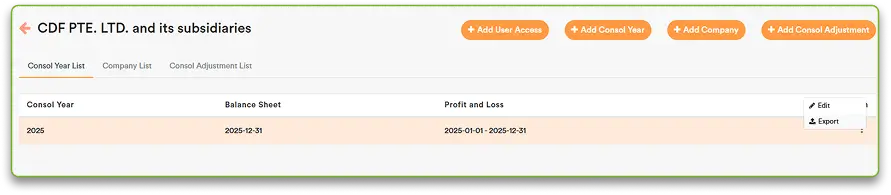
Consolidation & Year-End Combine Group Accounts and Close the Year Without Manual Work Connect Now Home » Software » Core Accounting » Consolidation & Year-End What Consolidation & Year-End Covers Consolidation & Year-End in the AI Account allows you to: Set up a consolidation account for group reporting Combine financial data from multiple companies Manage consolidation years and exchange rates Post permanent or one-off consolidation adjustments Export consolidated worksheets to Excel This module works directly from individual company accounts and updates in real time. Consolidation Account Automation AI Account supports group consolidation through a dedicated Consolidation Account. Setup and Access Consolidation Account Automation is available as an add-on under the Customise Plan Access the Consolidated Group Once setup is complete: The Consolidated Group appears on the dashboard Click the group name to open the consolidated view Consolidation Year Setup AI Account supports a flexible Profit & Loss presentation using Account Grouping. Create a Consolidation Year Click + Add Consol Year Fill in the required details Click Submit Add Companies to the Group Select the companies to include and click submit. Add Companies to the Group Move the holding company to the top The first company listed is used as the base currency for consolidation Exchange Rates & Translation Reserve GST rounding differences can be recorded directly. Set Exchange Rates Go to Consol Year List Edit exchange rates for foreign subsidiaries Translation The system automatically calculates the Translation Reserve as the balancing amount after translation: P&L at the Average Rate Balance Sheet Items at the Year-End Rate Share capital at its historical rate Retained earnings from: Opening balance Plus current-year profit Less dividends Consolidation Adjustments AI Account can automatically generate a Financial Performance Summary report. Add Consolidation Adjustments Click Add Consol Adjustment and select the adjustment type: PermanentApplies from the specified date onward, including future consolidation years One-Off Applies only to the selected consolidation year All adjustments can be viewed in the Consol Adjustment List. Export Consolidated Worksheet You can export reports using Export to Excel (For FS) for financial statement preparation. Export to Excel Go to Consol Year List and Click Export Download the consolidated worksheet in Excel format Real-Time Updates The consolidation account updates in real time Any changes made at the individual company level are automatically reflected in the consolidated view Understand How Transactions Flow Through the System Consolidation in the AI Account is driven directly from company-level accounts and consolidation-year settings. Learn more Consolidate Group Accounts Without Spreadsheets Combine multiple entities, apply consolidation adjustments, and export group financials without manual Excel work. See Our Plans Frequently Asked Questions Is consolidation available by default in AI Account? No. Consolidation is available as an add-on under the Customise Plan. How do I request consolidation access? You can request the feature by emailing info@aiaccount.com. Do all companies need the same financial year? Yes. It is recommended that all companies in a consolidation group share the same financial year-end and period. How is the base currency determined for consolidation? The first company listed in the group is used as the base currency. How are exchange differences handled? Translation Reserve is auto-calculated based on defined translation rules. Can I post consolidation adjustments? Yes. You can post permanent or one-off consolidation adjustments. Can I adjust retained earnings directly? No. Retained Earnings is derived. Adjustments must flow through income or expense accounts. Does consolidation update automatically? Yes. Changes in individual company accounts update the consolidation in real time. Can I export consolidated financials? Yes. You can export the consolidated worksheet in Excel format. What happens if an account used in consolidation is deleted? The consolidated worksheet cannot be exported until adjustments are corrected.