

Banking & Cash
Record, Automate, and Reconcile Bank Activity with Control
The Banking & Cash module in AI Account supports bank transactions, automation, and reconciliation while maintaining accounting accuracy and audit readiness.

What Banking & Cash Covers
Bank Entry is suitable for transactions such as:
- Create Purchase Orders for expenses or inventory purchases
- Convert Purchase Orders into bills
- Record expenses with quantity
- Record payments individually, in bulk, or via CSV
This module is designed to work alongside Sales, Expenses, and Transactions without duplicating records.
Bank Transactions
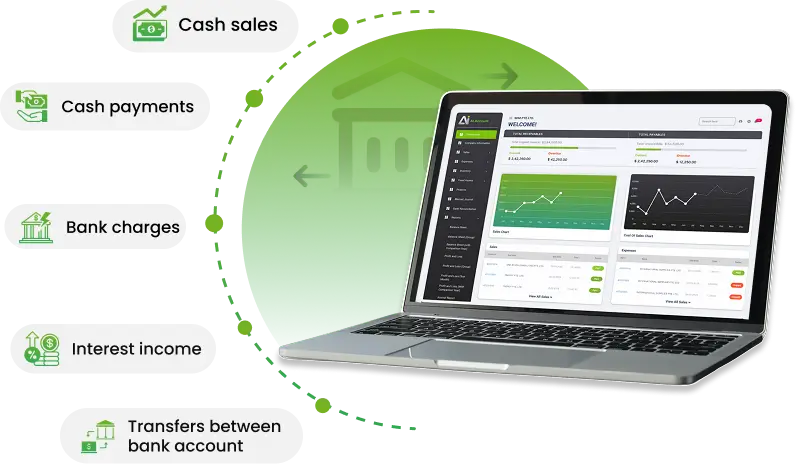
Bank Entry is suitable for transactions such as:
- Cash sales
- Cash payments
- Bank charges
- Interest income
- Transfers between bank account
Types of Bank Entry
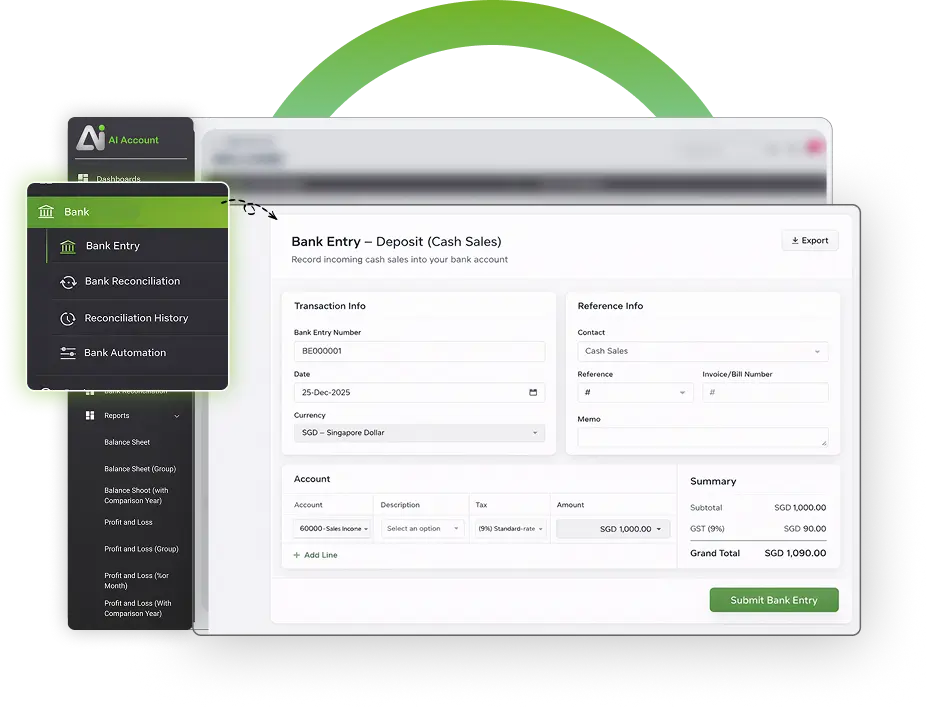
AI Account supports four types of Bank Entry:
- Deposit (Others)
- For deposits that are not sales or expenses and do not require an e-invoice.
- Withdrawal (Others)
- For withdrawals that are not sales or expenses and do not require an e-invoice.
- Deposit (Sales)
- For recording cash sales where an e-invoice is required.
- Withdrawal (Expenses)
- For recording cash expenses where an e-invoice may be received.
After submission, the system automatically generates the corresponding journal entry.
Currency and Bank Account Setup
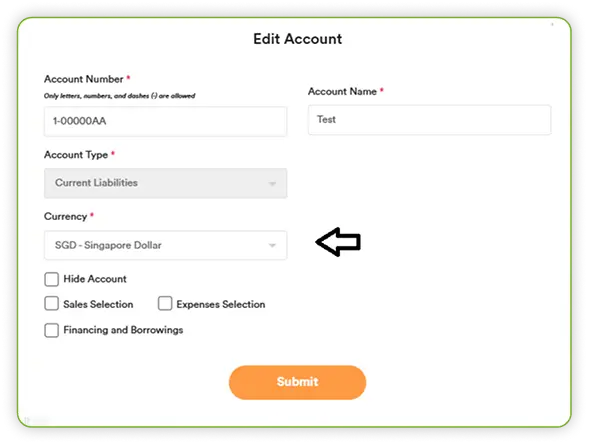
- Transaction currency follows the bank account currency defined in the Chart of Accounts.
- Bank accounts in different currencies must be set up as separate bank accounts.
Contact Selection Rules in Bank Entry
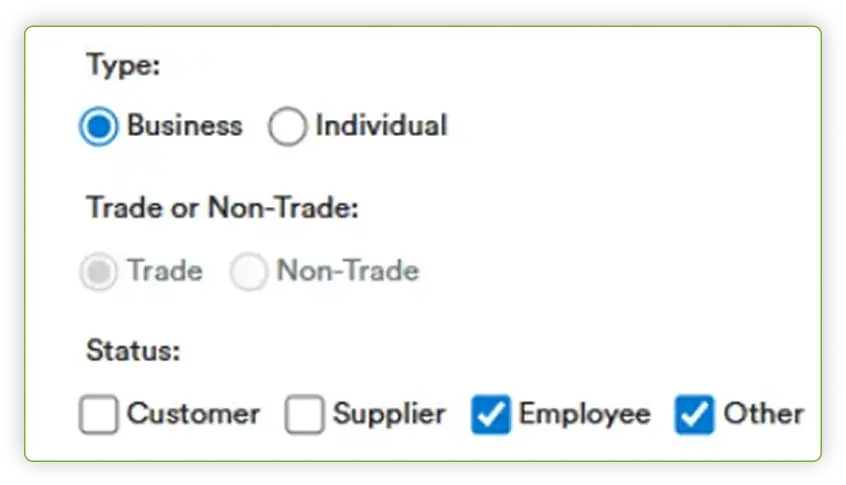
Contact selection is restricted based on Bank Entry type
- Deposit (Others) / Withdrawal (Others): Employee or Other contacts only
- Deposit (Sales): Customer contacts only
- Withdrawal (Expenses): Supplier contacts only
- Tip
Bank Entry does not automatically generate an e-invoice.
To capture full Sales Invoice or Expense details and enable e-invoicing, it is recommended to use the standard Sales or Expenses modules instead
Bank Automation
Bank Automation allows you to upload bank statements and match transactions efficiently.
Instead of recording each transaction manually, you can import a bank statement and let the system assist with matching.
Once uploaded, the system attempts to:
- Find existing receipts or payments
- Identify related outstanding invoices or bills
- Create new receipts or manual journals where required

Matching Scenarios
- Exact Match Found
- When the date and amount match an existing receipt or payment, you can confirm it as matched.
- Outstanding Invoice or Bill Identified
- You can create a receipt or payment directly, or change the linked invoice or bill if required.
- No Match Required
- You may move a transaction to matched status with a remark, or undo the match later.
- Bank Charges
- Bank charges can be recorded by creating or linking a manual journal entry to the appropriate account.
Once uploaded, the system attempts to:
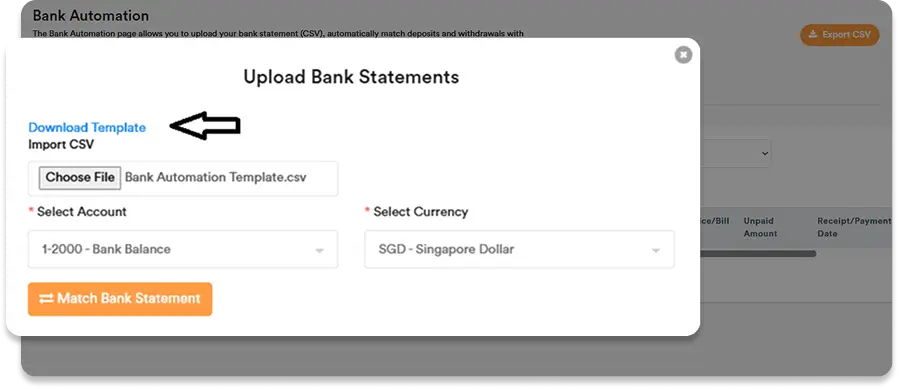
- Go to the Bank Automation tab
- Upload the bank statement using the provided CSV template
- Select the correct bank account and currency
- Click Match Bank Statement
Bank Reconciliation
Bank Reconciliation ensures that system records align with bank statements.
To begin reconciliation:
- Record transactions in the system
- Import the bank statement in CSV format
- Select whether the bank account is in home currency or a foreign currency
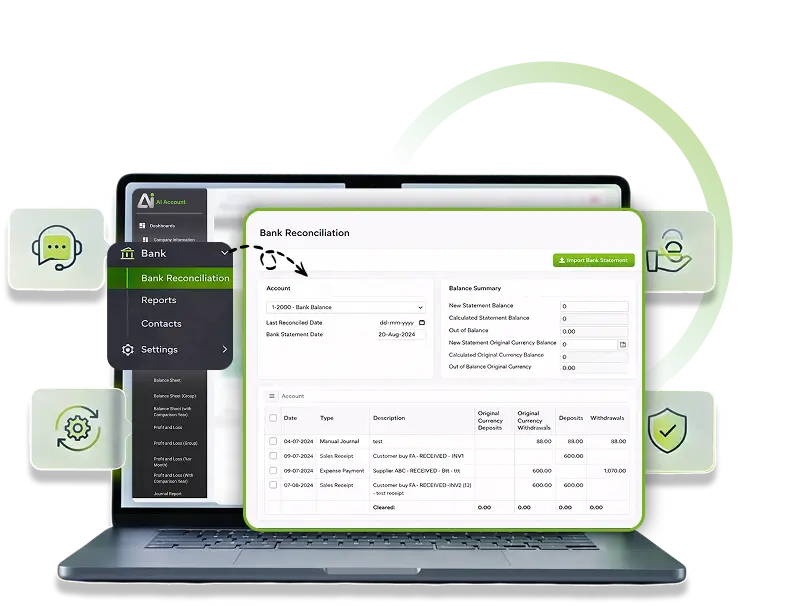
The system automatically matches and ticks corresponding entries.
Unmatched entries can be reviewed and ticked manually.
Saving and Completing Reconciliation

Work in progress can be saved and resumed later

Before finalising, you can export the Bank Reconciliation Report for review

Once verified, click Reconcile to complete the process
If the bank statement date is changed, saved reconciliation data for that account will be refreshed.
Modify or Delete Bank Reconciliations
AI Account allows controlled changes to completed reconciliations.
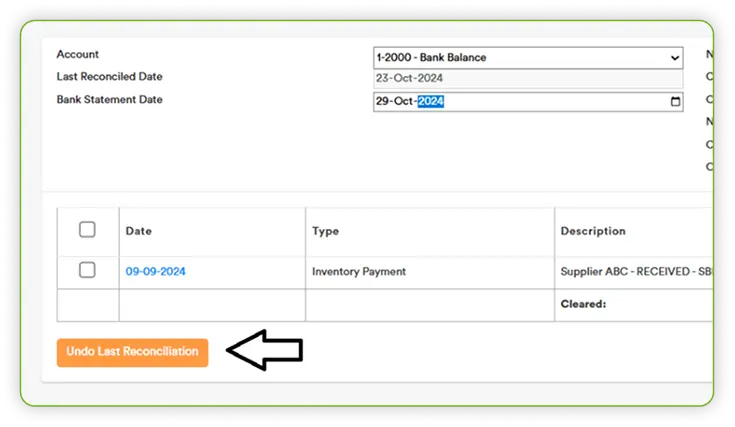
Undo Last Reconciliation
You can undo the most recent reconciliation and redo it if required.
Edit Past Reconciliations
- Open Bank Reconciliation History
- Select a past reconciliation
- Click Edit
- Reselect reconciliation items and update balances as needed
- Save the changes
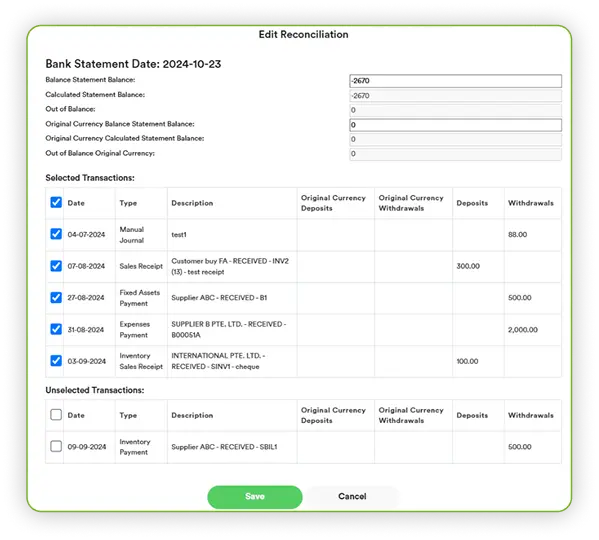
If reconciliation goes out of balance, the system will display the difference for review and correction.
Any edits to bank-related transactions automatically update reconciliation history.
Accounting Software Guide
Banking & Cash follows defined accounting logic for posting, matching, and reconciliation.

Keep Bank Records Accurate and Reconciled
Manage bank transactions, automate matching, and reconcile balances without losing control.
Frequently Asked Questions
What types of transactions can be recorded using Bank Entry?
Bank Entry can be used to record cash sales, cash payments, bank charges, interest income, and transfers between bank accounts. It is intended for bank-related transactions rather than full sales or expense invoices.
Does Bank Entry generate e-invoices automatically?
No. Bank Entry does not automatically generate an e-invoice. To capture full sales or expense details and enable e-invoicing, transactions should be recorded using the standard Sales or Expenses modules.
What are the different types of Bank Entry available?
AI Account supports four Bank Entry types:
- Deposit (Others)
- Withdrawal (Others)
- Deposit (Sales)
- Withdrawal (Expenses)
How does bank automation work in the AI Account?
Bank Automation allows you to upload bank statements in CSV format. The system attempts to match each bank transaction to existing receipts, payments, outstanding invoices, bills, or manual journals, and allows you to confirm, adjust, or undo matches.
Can I create receipts or payments directly from bank statements?
Yes. When a bank statement line matches an outstanding invoice or bill, you can create a receipt or payment directly from the Bank Automation screen and confirm the match.
How are bank charges handled during bank automation?
If a bank statement line represents a bank charge, you can create a new manual journal or link it to an existing manual journal and assign it to the appropriate bank charges account.
How does bank reconciliation work in AI Account?
Bank reconciliation is performed by importing a bank statement and matching it against recorded transactions. The system automatically matches corresponding entries and allows manual review for unmatched items before final reconciliation.
Can I save a bank reconciliation and complete it later?
Yes. You can save the reconciliation work in progress and resume it later. If the bank statement date is changed, previously saved reconciliation data for that account will be refreshed.
Can completed bank reconciliations be modified or deleted?
Yes. You can undo the most recent reconciliation or edit past reconciliations from the Bank Reconciliation History. Any changes to bank-related transactions are automatically reflected in the reconciliation records.
How are currencies handled in bank transactions and reconciliation?
Transaction currency follows the bank account currency defined in the Chart of Accounts. Bank accounts in different currencies must be set up as separate bank accounts to ensure accurate matching and reconciliation.